BEBest Effort Software

DESKTOP + ANDROID SOFTWARE

Your files.
Your projects.
Your way of working.

Tools for organizing the details of everyday life—from a shopping list to a book collection, a publication, a video project, or a cabinet for your workshop.

Explore the apps

THE APP COLLECTION

A place for each kind of work.

Explore the projects currently in development.

UF

DESKTOP

BEUltimateFiler

Manage files, browse archives, compare documents, and bring notes and media tools into one workspace.

Explore features
  • Two-panel file browsing and file operations
  • File comparison and duplicate review
  • Integrated notes and image tools
N

DESKTOP + ANDROID

BENotes

Keep notes, shopping lists, tasks, and reminders together. Work offline and sync between phone and desktop.

Explore features
  • Task lists and shopping lists with subitems
  • Markdown notes, photos, and OCR
  • General reminders and medicine schedules
C

DESKTOP + ANDROID

BECatalog

Build a searchable record of books, movies, collectibles, and valuables—and remember which box holds each item.

Explore features
  • Barcode lookup, photos, and descriptions
  • Groups, condition, and value tracking
  • Box labels and desktop–phone sync
A

DESKTOP

BEAccounting

Bring bills, payments, banking, and reporting into an accounting workspace.

Explore features
  • Accounts payable and receivable
  • Checks, deposits, and reconciliations
  • Financial reports and report design
P

DESKTOP

BEPublisher

Design documents with pages, frames, paragraph styles, and reusable templates.

Explore features
  • Page layouts and text formatting
  • Tables and generated tables of contents
  • Publication packaging and print preparation
V

DESKTOP

BEVideoProject

Organize video projects and mark the moments that matter with tags, events, and sports statistics.

Explore features
  • Players, teams, games, and lineups
  • Tagged events and individual statistics
  • Event locations on a field or court
W

DESKTOP · IN DEVELOPMENT

BEWoodworkingDesigner

Design cabinets and furniture in 3D, explore how the parts fit together, and prepare drawings for the shop.

Explore features
  • Boards, frames, shelves, doors, drawers, and cylinders
  • Joinery, dimensions, wood colors, and exploded views
  • Cut lists, colored project overviews, and PDF shop drawings
  • Drawing previews and reusable print packages

See woodworking screenshots

Preview download available

INSIDE THE APPS

See the tools at work.

Desktop and Android screenshots. Select an image to view it full size.

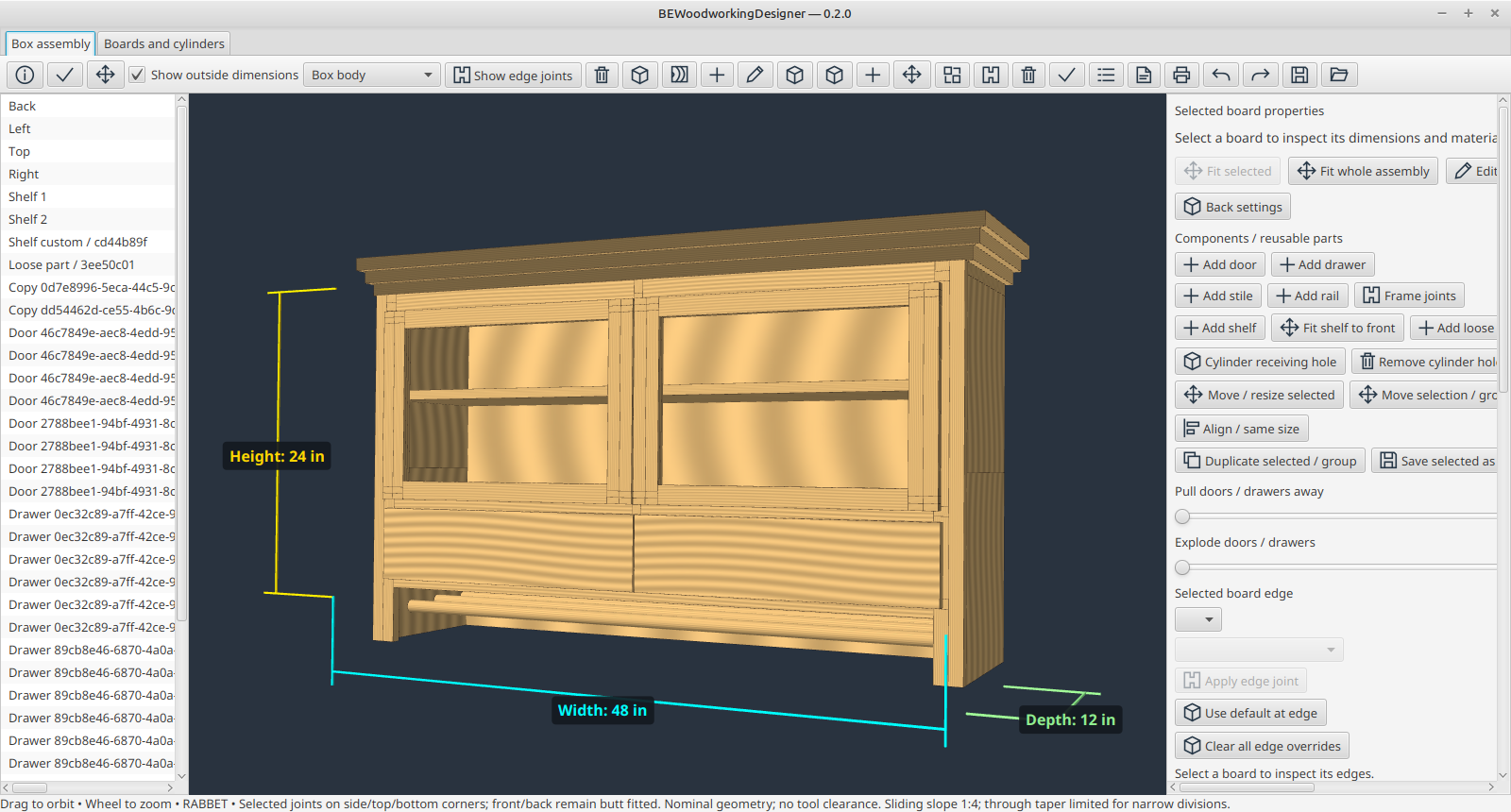
BEWoodworkingDesigner: 3D cabinet design

BEWoodworkingDesigner · 3D cabinet design

Inspect a cabinet with doors, drawers, shelves, and dimension guides.

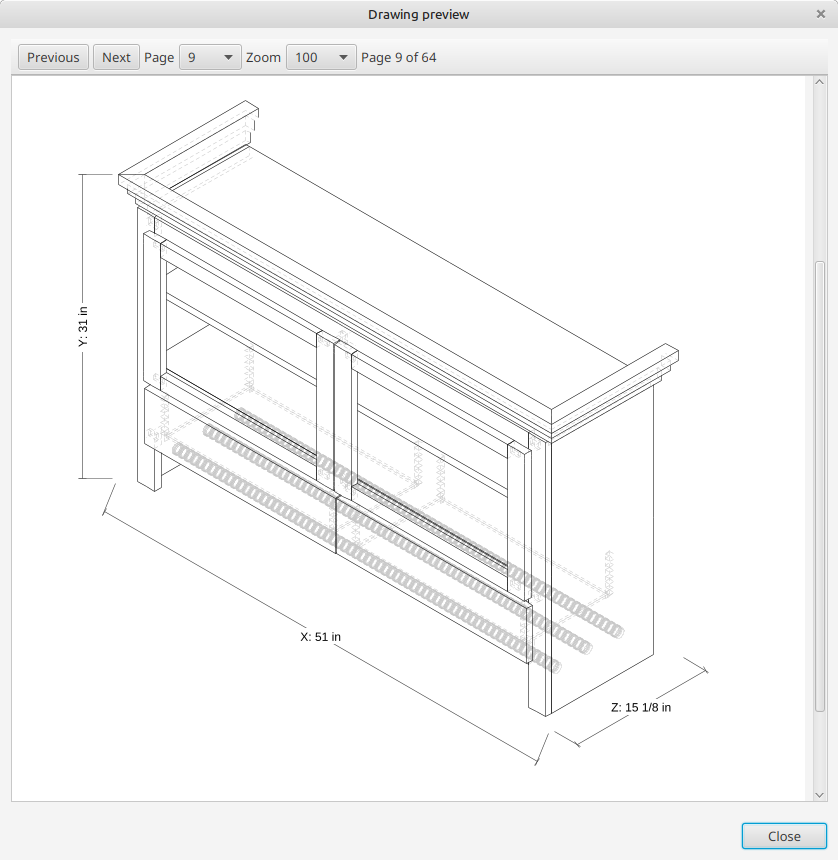
BEWoodworkingDesigner: Shop drawing preview

BEWoodworkingDesigner · Shop drawing preview

Review dimensioned drawings before exporting a PDF or printing your shop packet.

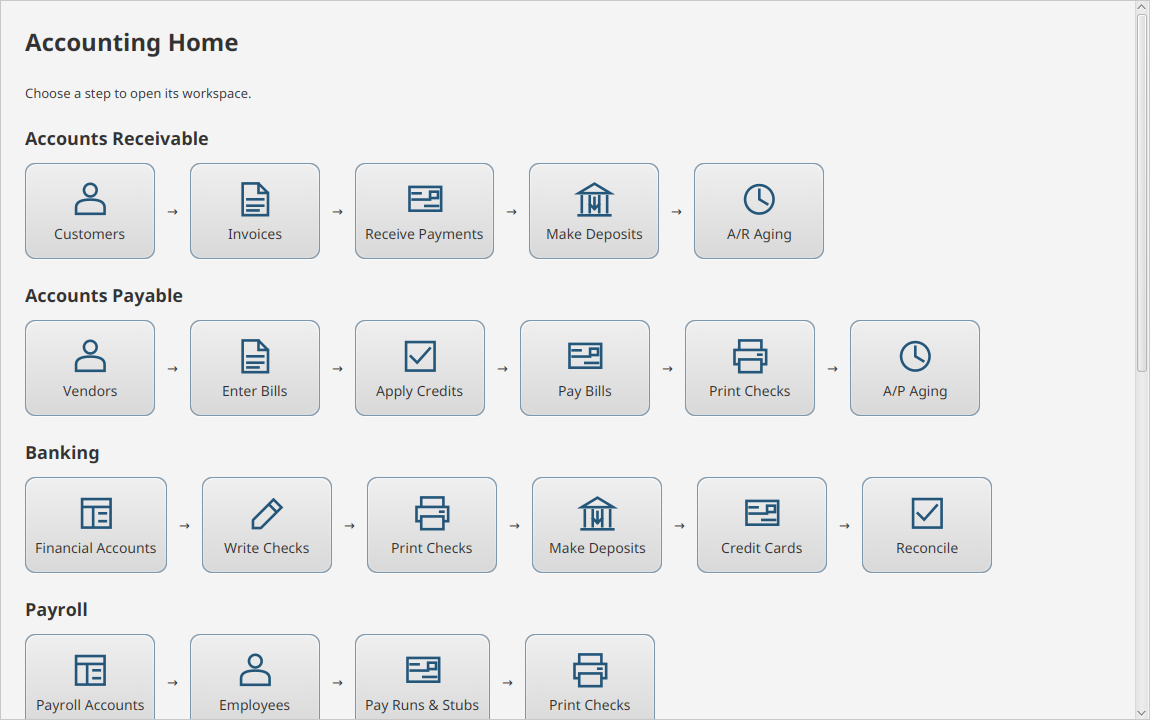
BEAccounting: Accounting home

BEAccounting · Accounting home

Navigate accounts receivable, accounts payable, banking, and payroll.

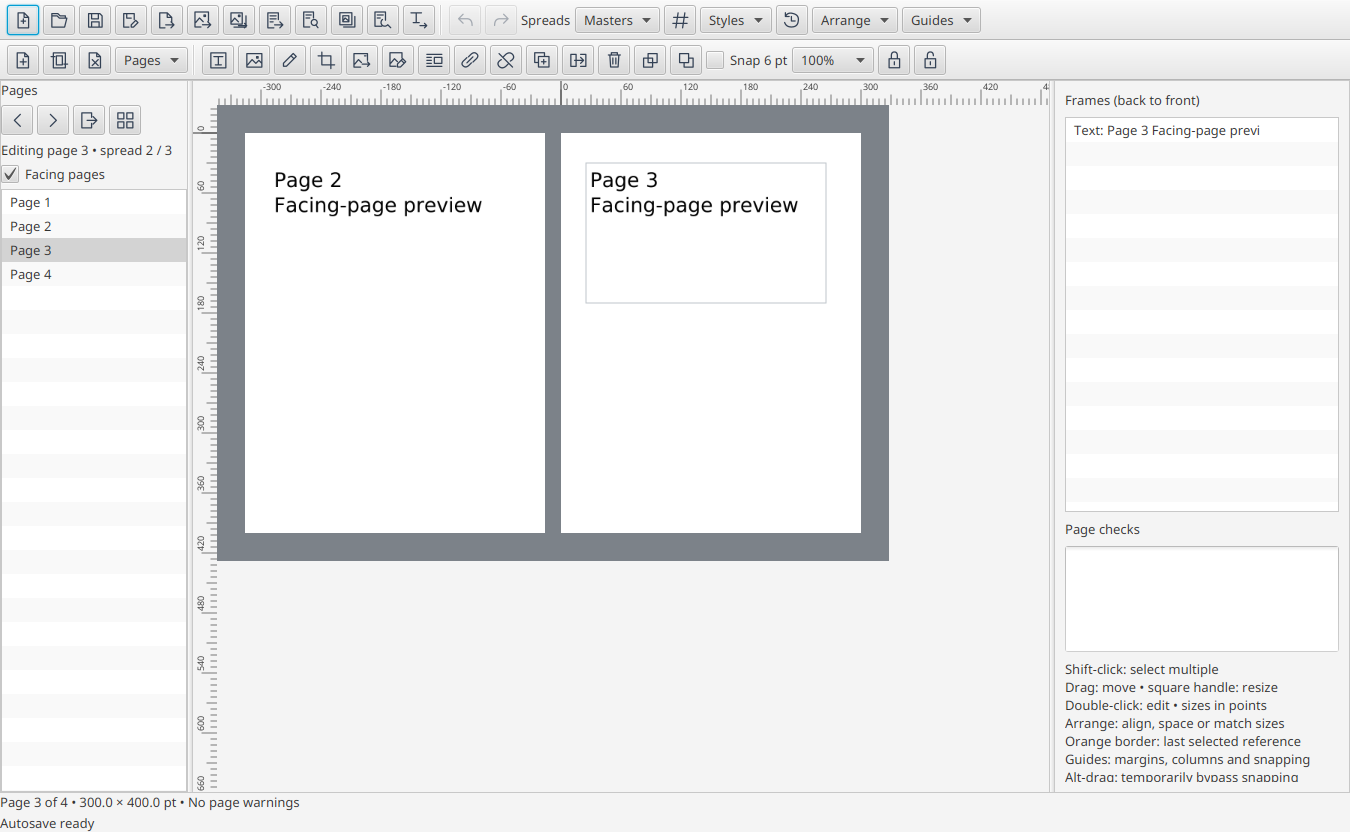
BEPublisher: Facing-page editor

BEPublisher · Facing-page editor

Arrange text frames and review facing pages with rulers and page navigation.

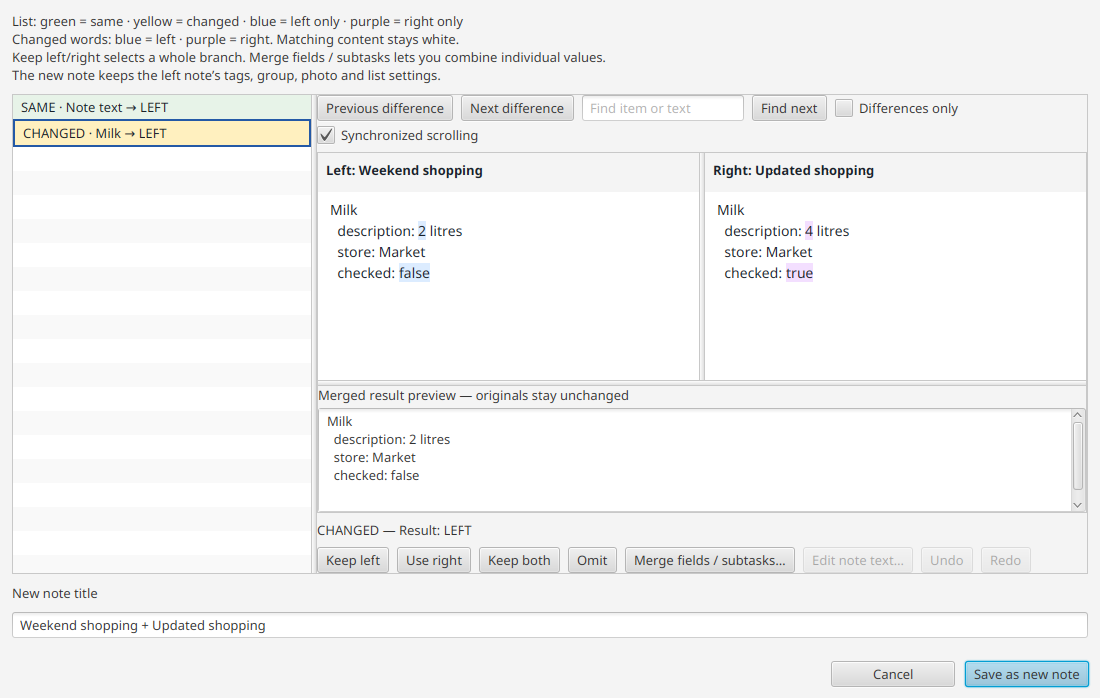
BENotes: Compare shopping lists

BENotes · Compare shopping lists

Review changed fields side by side before saving a merged note.

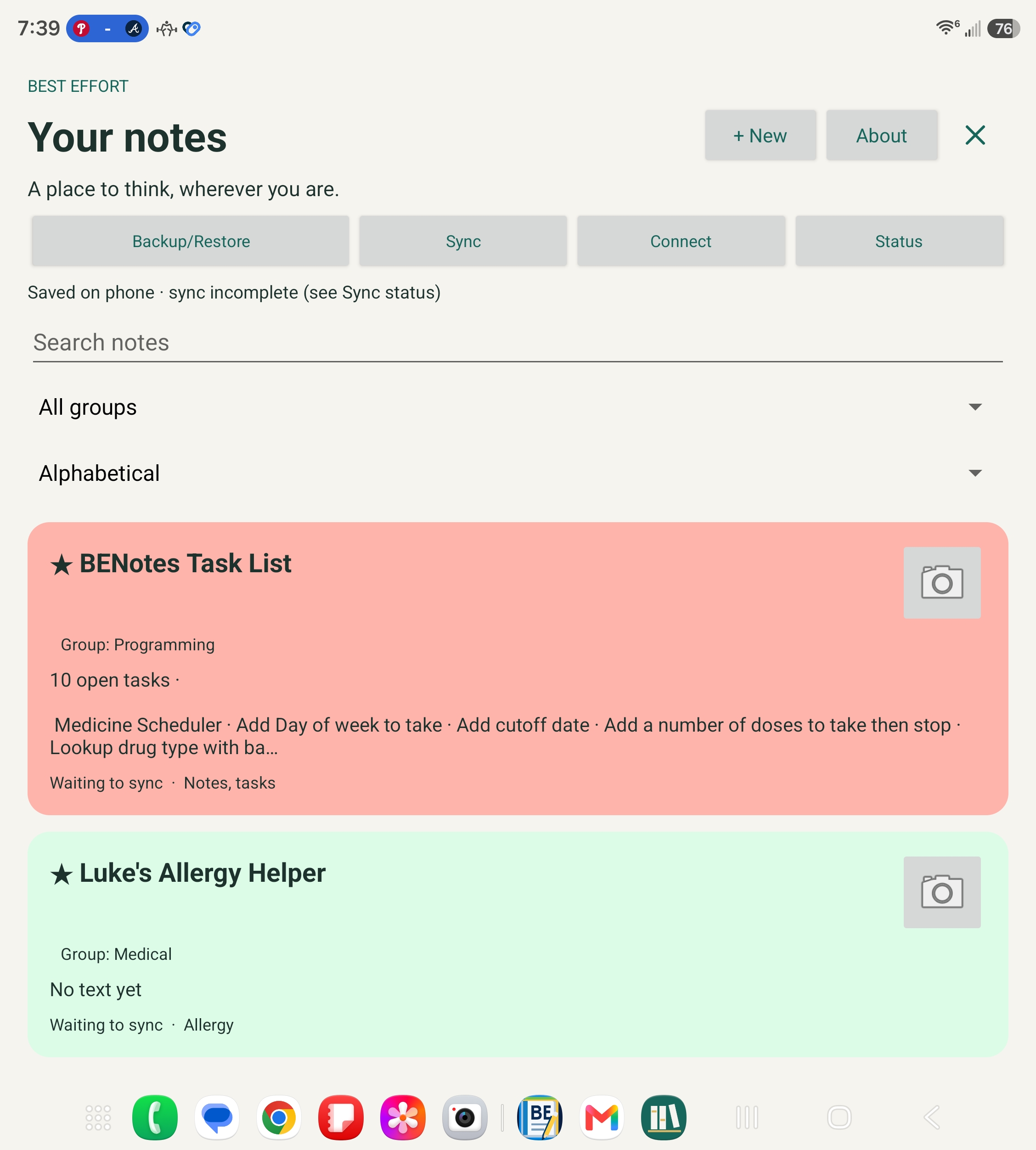
BENotes Android · Notes on a wide screen

BENotes Android · Notes on a wide screen

Select the screenshot to view it full size.

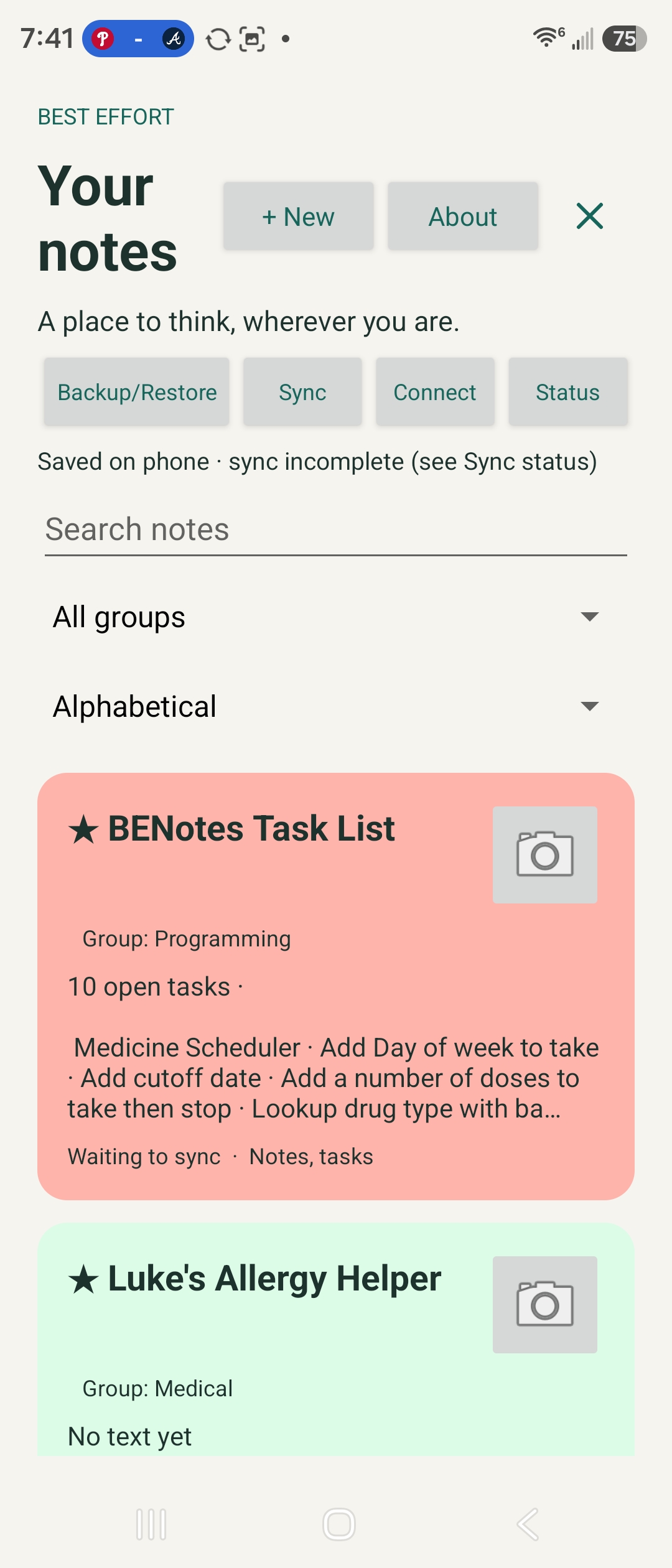
BENotes Android · Notes on a phone

BENotes Android · Notes on a phone

Select the screenshot to view it full size.

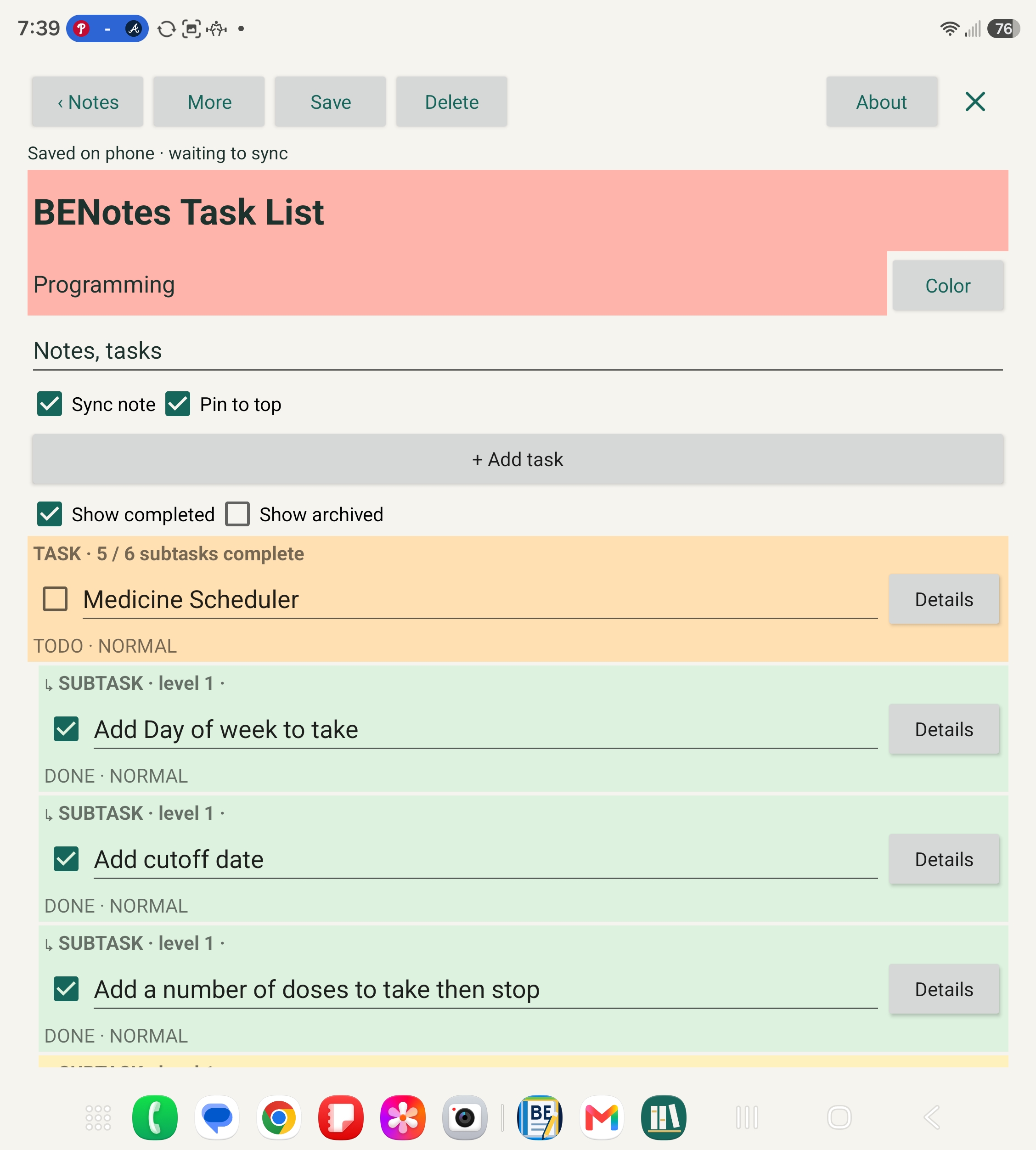
BENotes Android · Tasks and subtasks

BENotes Android · Tasks and subtasks

Select the screenshot to view it full size.

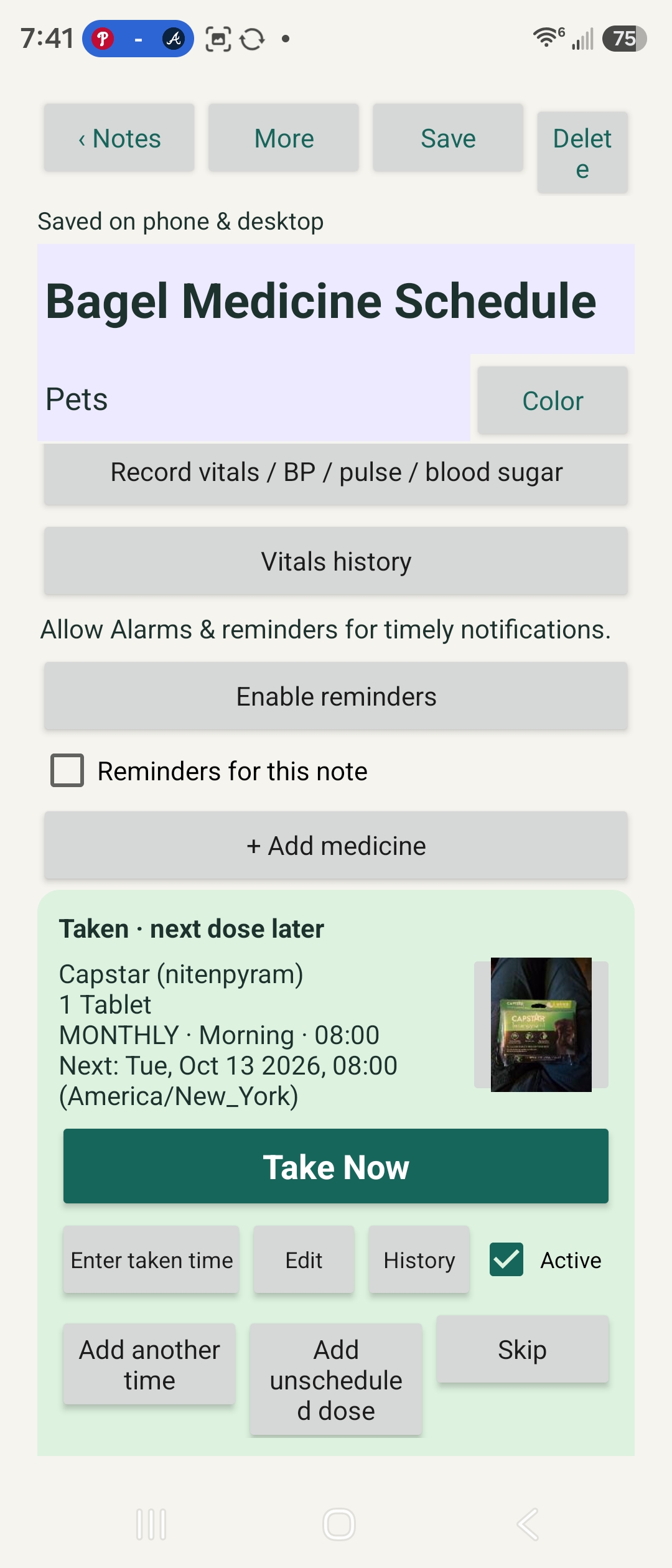
BENotes Android · Medicine scheduler

BENotes Android · Medicine scheduler

Select the screenshot to view it full size.

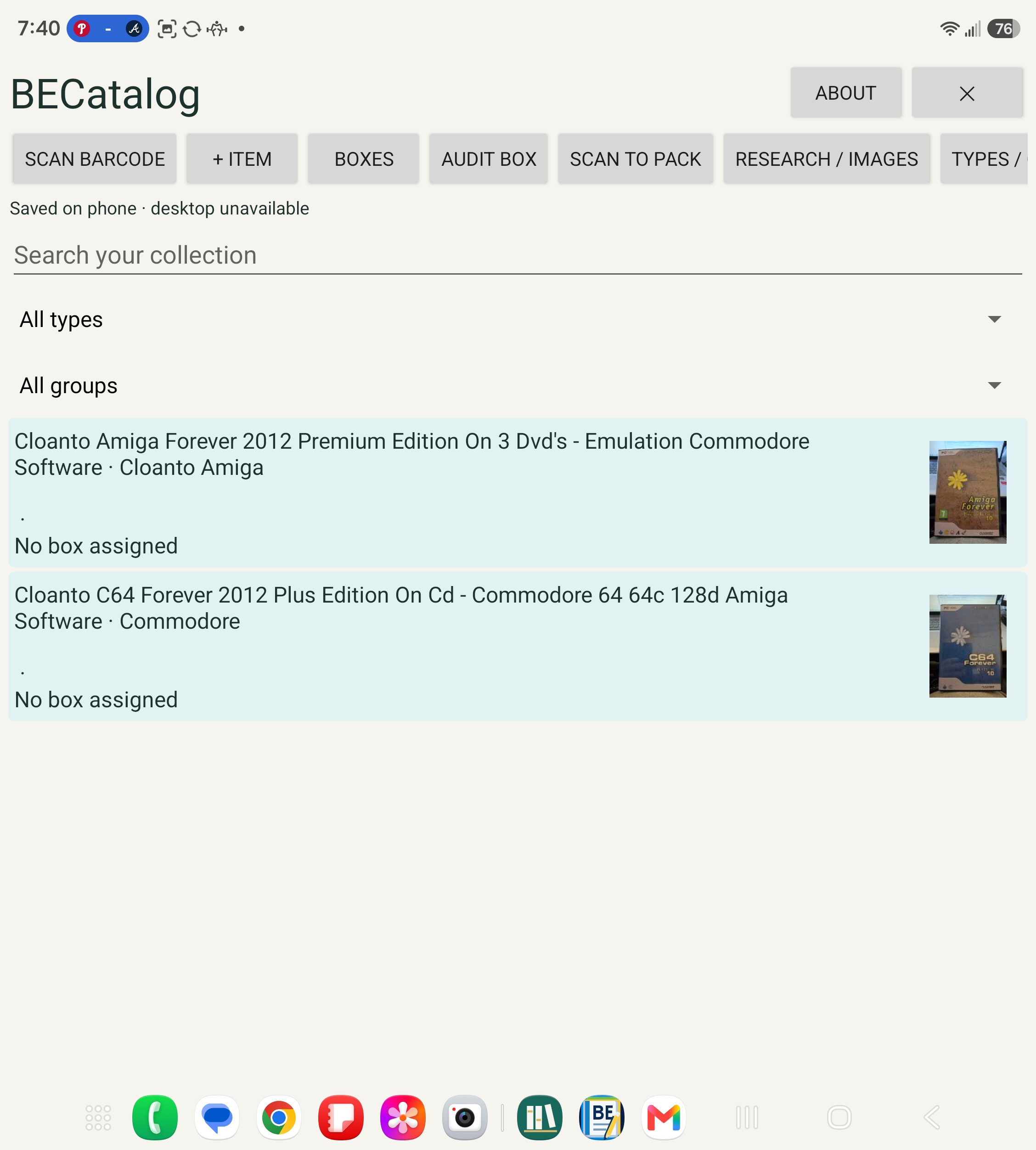
BECatalog Android · Collection on a wide screen

BECatalog Android · Collection on a wide screen

Select the screenshot to view it full size.

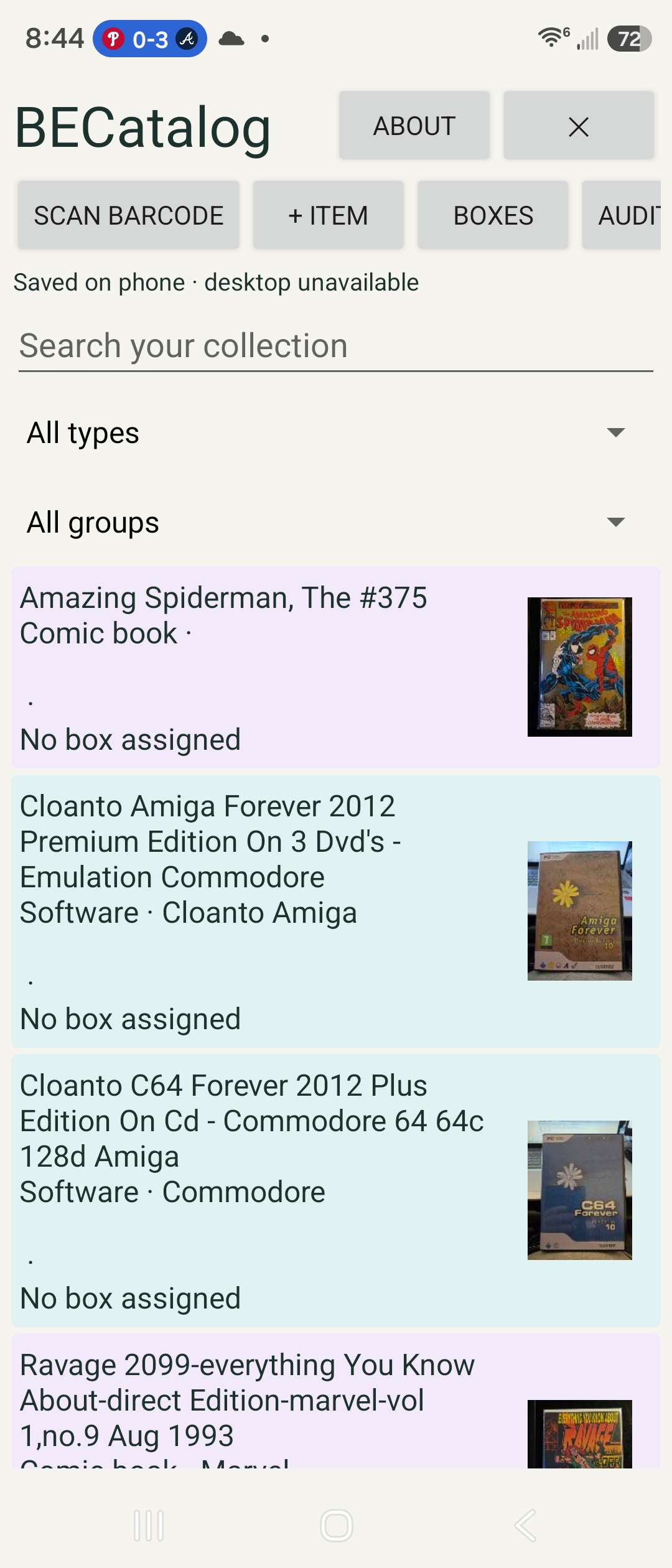
BECatalog Android · Collection on a phone

BECatalog Android · Collection on a phone

Select the screenshot to view it full size.

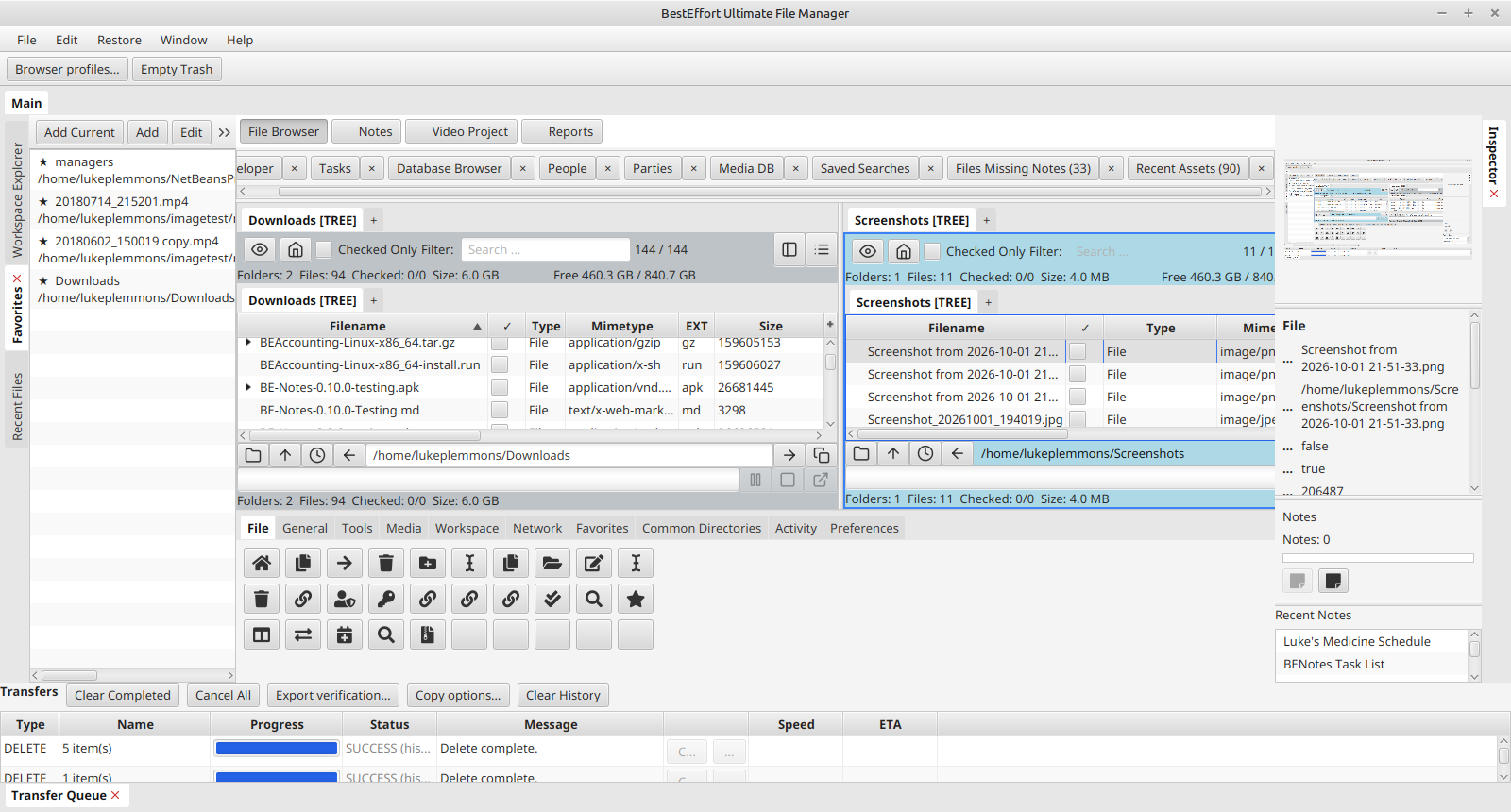
BEUltimateFiler · Two-panel file browser

BEUltimateFiler · Two-panel file browser

Select the screenshot to view it full size.

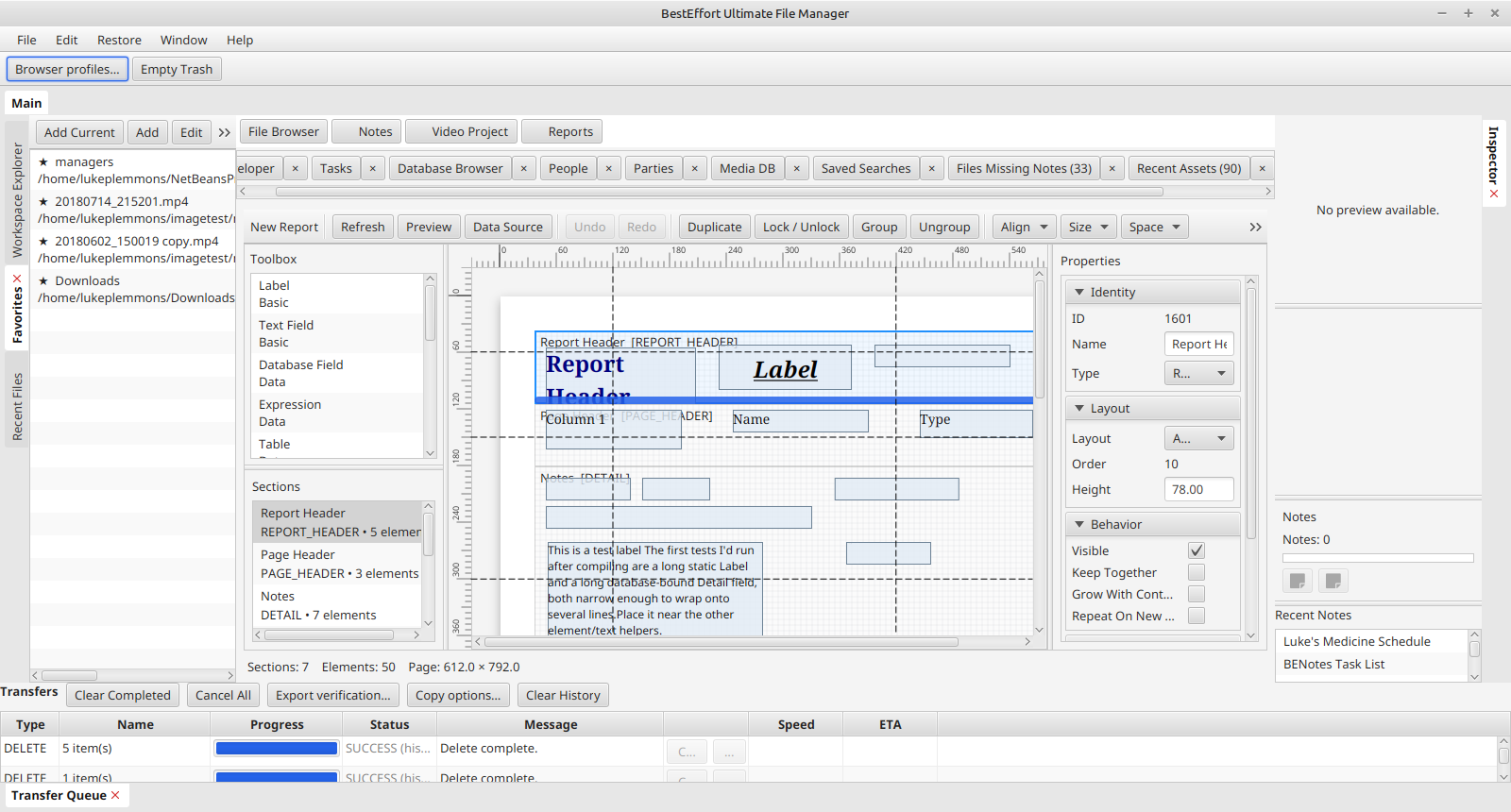
BEUltimateFiler · Report designer

BEUltimateFiler · Report designer

Select the screenshot to view it full size.

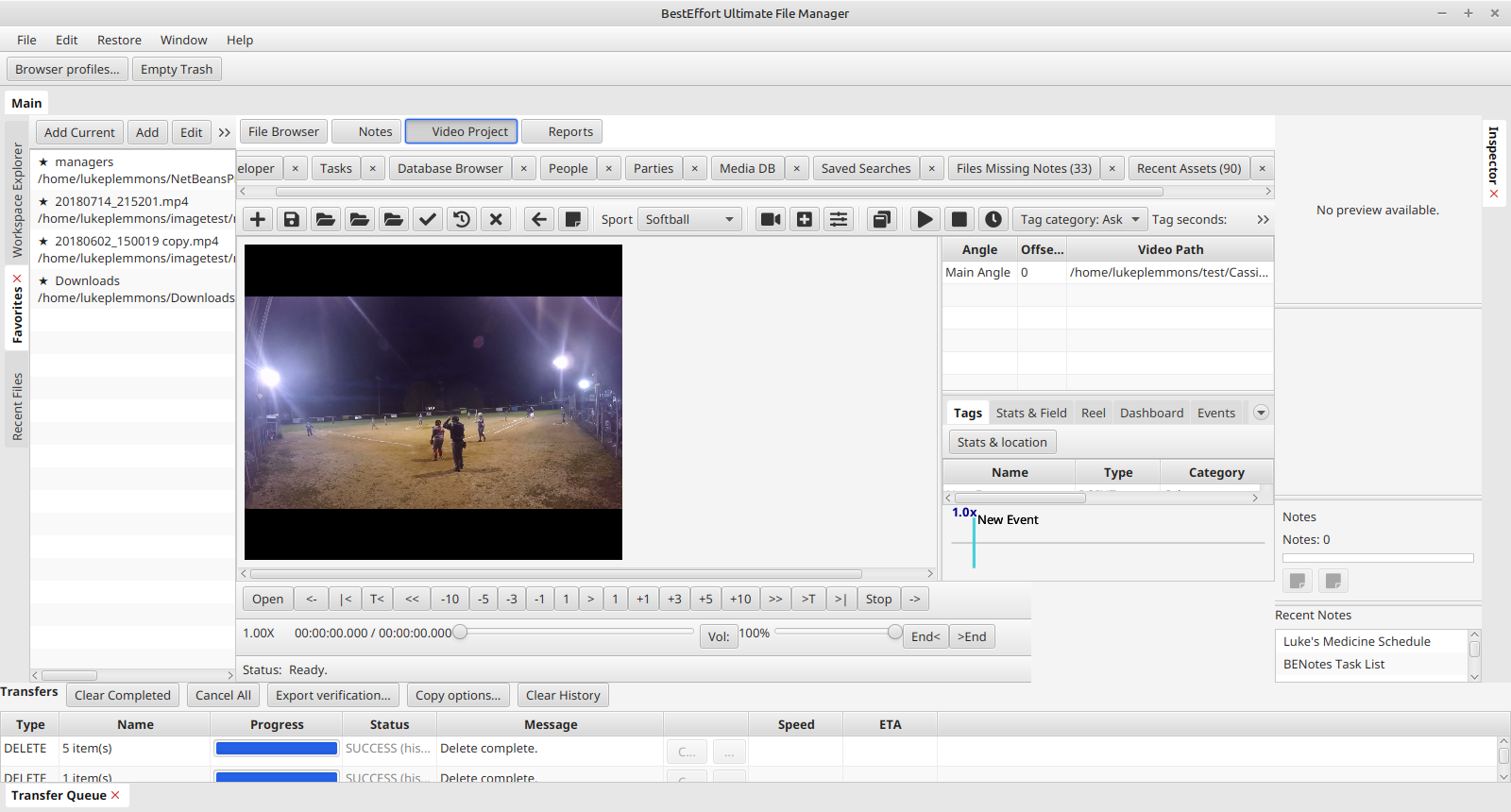
BEVideoProject in BEUltimateFiler · Video workspace

BEVideoProject in BEUltimateFiler · Video workspace

Select the screenshot to view it full size.

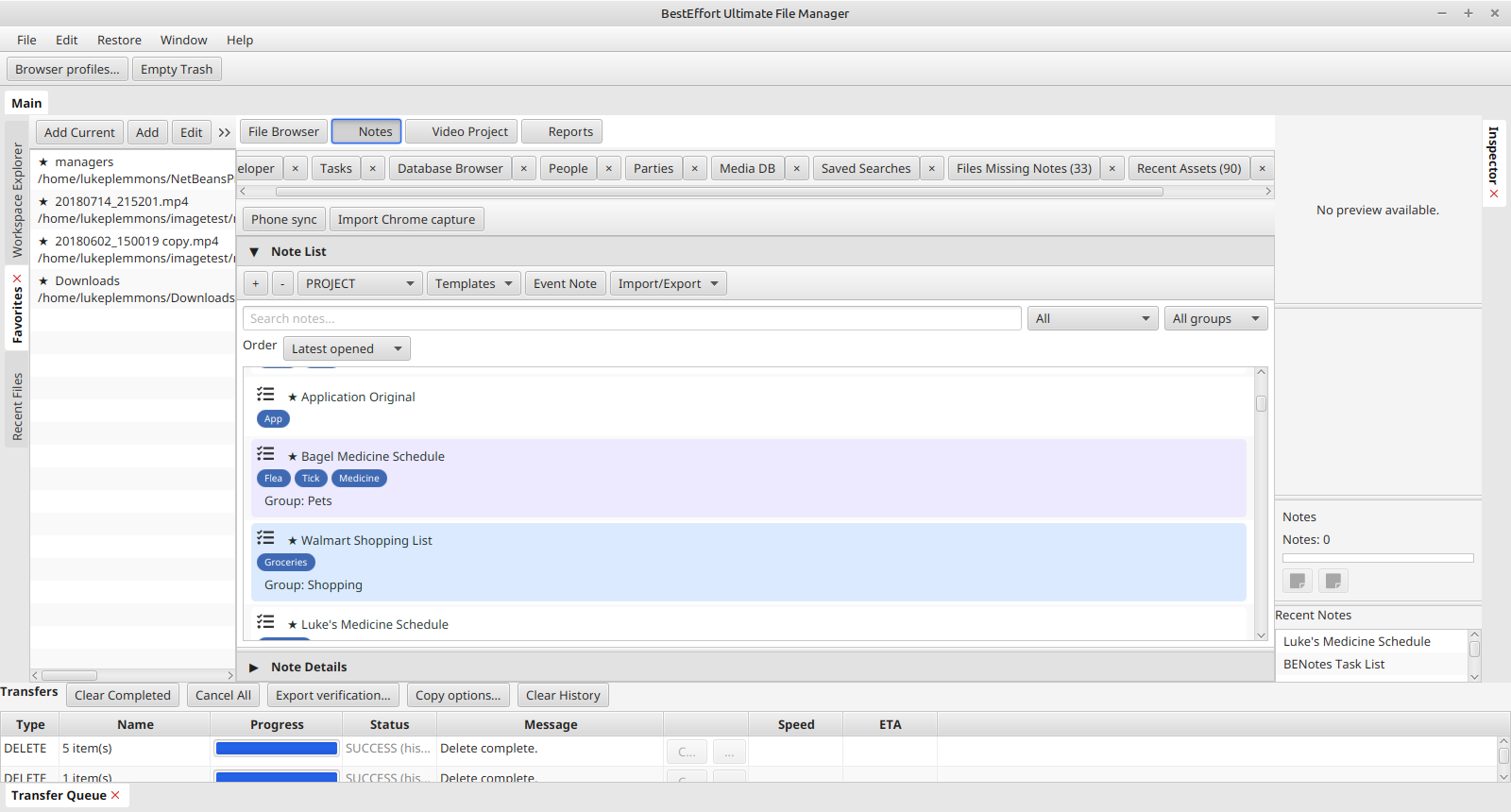
BENotes Desktop · Grouped notes

BENotes Desktop · Grouped notes

Select the screenshot to view it full size.

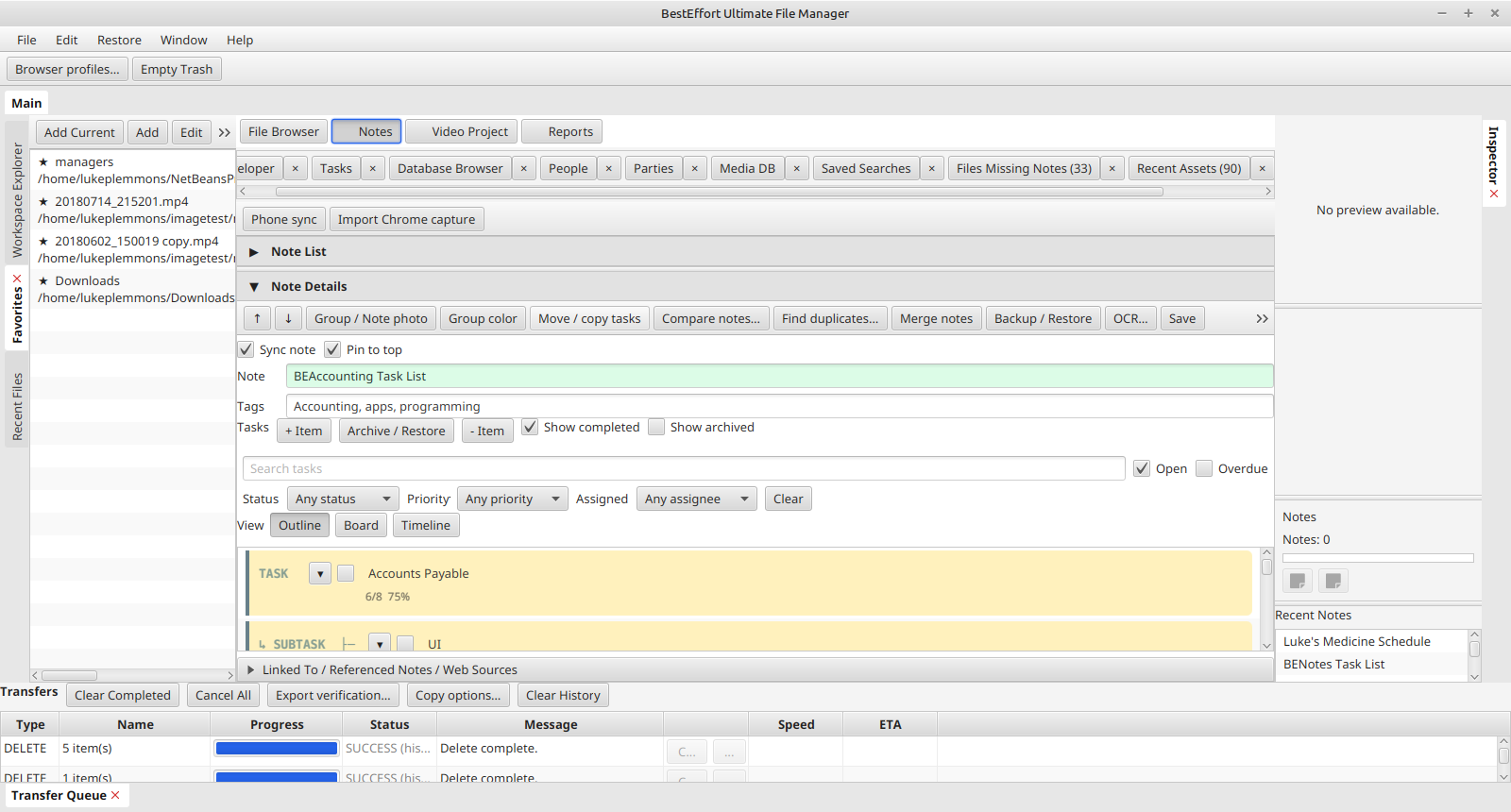
BENotes Desktop · Tasks and subtasks

BENotes Desktop · Tasks and subtasks

Select the screenshot to view it full size.

PREVIEW 1 · OCTOBER 13, 2026

Try the apps.

Early previews for testing and feedback. Back up important data before installing. Installation and launch have been tested; some features are still being validated.

Linux Mint & Chromebook Linux

Intel/AMD 64-bit · DEB installers · Java included. Chromebook Linux must be enabled. ARM is not supported.

Install with sudo apt install ./downloaded-package.deb, then launch from your app menu.

Android

Android 8.0 or newer · signed APK installers

Older private debug versions may require uninstalling first. Back up/export your data before uninstalling; uninstalling can erase it.

Before you install

Installation instructions · SHA256 checksums

Release notes and known limitations

Desktop BENotes is included in BEUltimateFiler.

PORTABLE ZIP DOWNLOADS · EXPERIMENTAL

Bring your own Java.

Install 64-bit Java 25, then extract the ZIP for your operating system and processor. JavaFX is included; Java itself is not. These are separate platform builds, not a universal JAR.

Windows and macOS have not been tested on their target systems. Linux packages passed launcher and JavaFX smoke checks. Some features require platform-specific tools. The tested Linux installers above remain the recommended option.

Portable Preview 1 — October 13, 2026
AppLinux x64Windows x64Mac IntelMac Apple Silicon
BEAccountingZIPZIPZIPZIP
BECatalogZIPZIPZIPZIP
BEPublisherZIPZIPZIPZIP
BEUltimateFilerZIPZIPZIPZIP
BEVideoProjectZIPZIPZIPZIP
BEWoodworkingDesignerZIPZIPZIPZIP

Windows: run launch.cmd. Linux/macOS: run bash launch.sh in the extracted folder. Back up your data first; do not run the portable and installed versions against the same database simultaneously.

Portable setup instructions · Portable checksums · Portable release notes

SUPPORT

Help us make the tools better.

Questions, bug reports, or suggestions?

Email support

[email protected]

Reporting a problem

Include the app name and version, your operating system, what you were doing, and any error message. A screenshot can help; remove private information before sharing it.

Where do I find the version?

Look for About in the app. If it is unavailable, include the installer filename.

Are downloads available now?

Yes. Preview installers are available in the Downloads section for Linux and Android. Read the installation instructions and back up your data first.